Likes: 0Downloads: 1
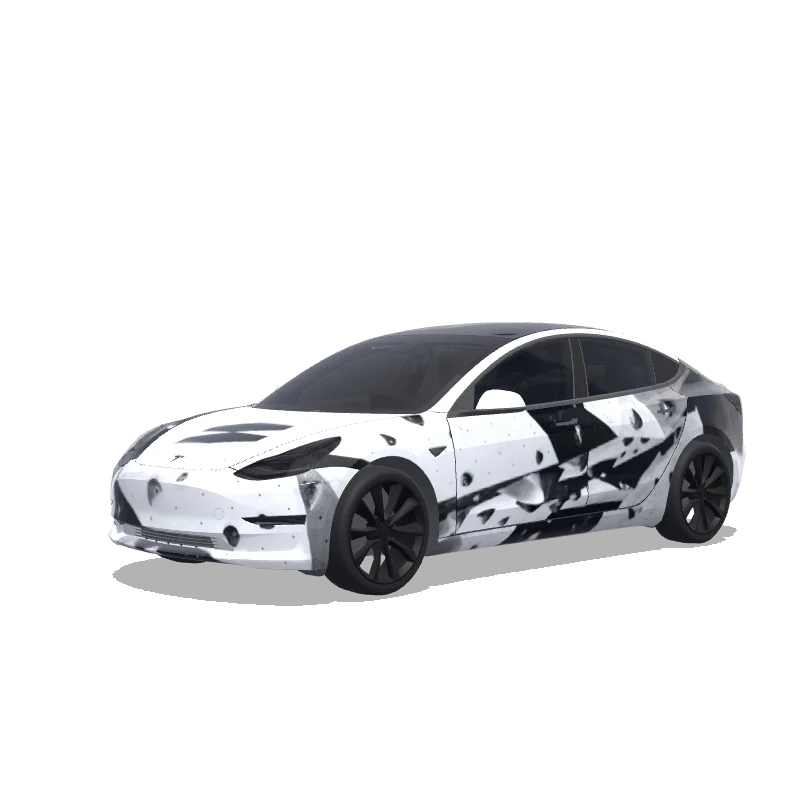
Wrapdesign voor Model 3

Ontworpen door
Joel Alonso Galán
Bekijk AI-prompt
AI-prompt gebruikt op Tesla Wrap Studio
“On the attached reference, there are 2 elements, both referring to the bouldering gym I’m attending - on the top half, there’s a “problem” word, which I’d like to include in this exact font on the rear of the car, somewhere between / slightly above the rear lights of the design. Below the “problem” word on the reference, on the bottom half, there’s a logotype of this bouldering wall. I want to use it in the design - preferably place it on middle of the hood. The overall design of the wrap has to be minimalistic, modern, using the fonts visible on the bottom part of the attached image only. Keep it mostly black and white. Keep it in the bouldering vibe - you can add some structures that would resemble boulders. Do not make the design overly complicated.”
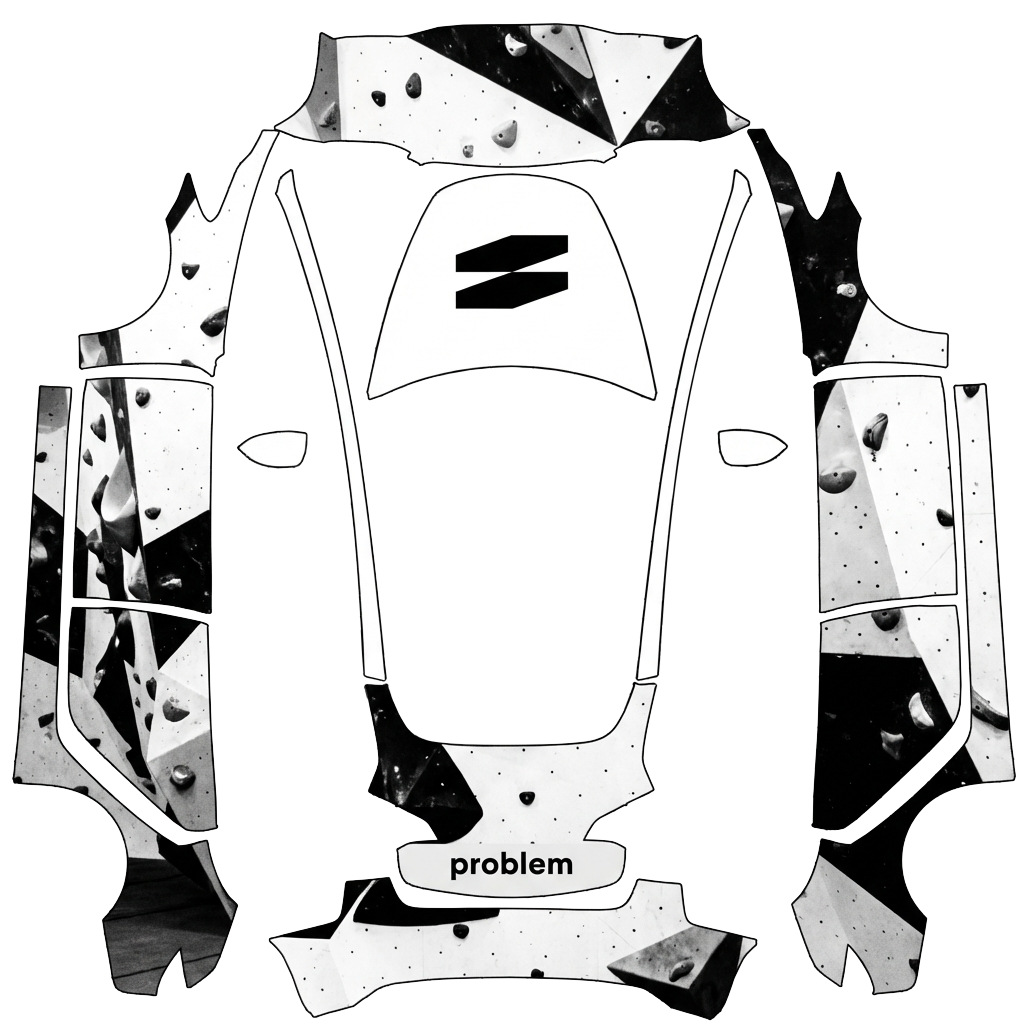
Gebruiken in Tesla Paint Shop
Bekijk dit ontwerp op je Tesla
Download de PNG om dit ontwerp op het scherm van je Tesla of in de Tesla-app te bekijken.
Bestandsvereisten controleren
Bestandsvereisten voor Tesla Paint Shop
Bekijk de officiële Tesla-bestandseisenTesla-eisDit bestand
Formaat
Tesla-eisPNG
Dit bestandControleren…
Canvasformaat
Tesla-eis512–1024 px per zijde
Dit bestandControleren…
Bestand
Tesla-eisMaximaal 1 MB · geldige bestandsnaam
Dit bestandControleren…
Voertuigtemplate
Tesla-eisOvereenkomende officiële template
Dit bestandControleren…
Alleen voor de 3D-voorvertoning op het scherm in Tesla Paint Shop, niet voor printen of montage.
Zo gebruik je het
Voeg deze wrap toe aan je Tesla
- 01
Download de PNG
Sla de Paint Shop-klare PNG op je telefoon of computer op.
- 02
Stuur hem naar je Tesla
In de Tesla-app v4.59.0+: Creations → Wrap → Upload. Of plaats de PNG in een map Wraps in de hoofdmap van een ondersteunde USB-stick.
- 03
Pas hem toe in Paint Shop
Open op je Tesla Toybox → Paint Shop → Wraps en kies het ontwerp.