Mi piace: 0Download: 1
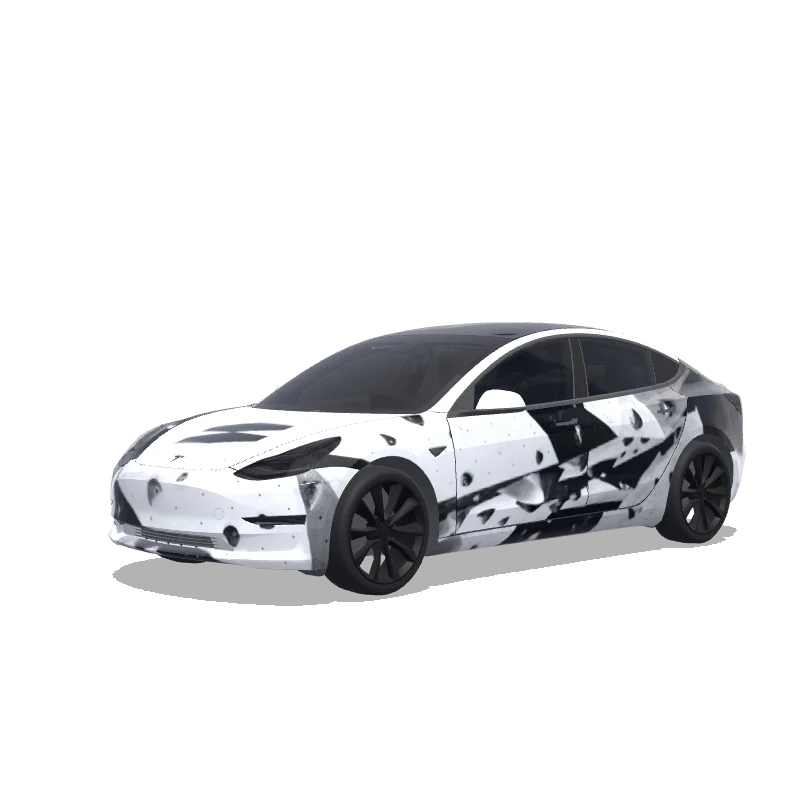
Design di wrapping per Model 3

Progettato da
Joel Alonso Galán
Vedi il prompt AI
Prompt AI usato su Tesla Wrap Studio
“On the attached reference, there are 2 elements, both referring to the bouldering gym I’m attending - on the top half, there’s a “problem” word, which I’d like to include in this exact font on the rear of the car, somewhere between / slightly above the rear lights of the design. Below the “problem” word on the reference, on the bottom half, there’s a logotype of this bouldering wall. I want to use it in the design - preferably place it on middle of the hood. The overall design of the wrap has to be minimalistic, modern, using the fonts visible on the bottom part of the attached image only. Keep it mostly black and white. Keep it in the bouldering vibe - you can add some structures that would resemble boulders. Do not make the design overly complicated.”
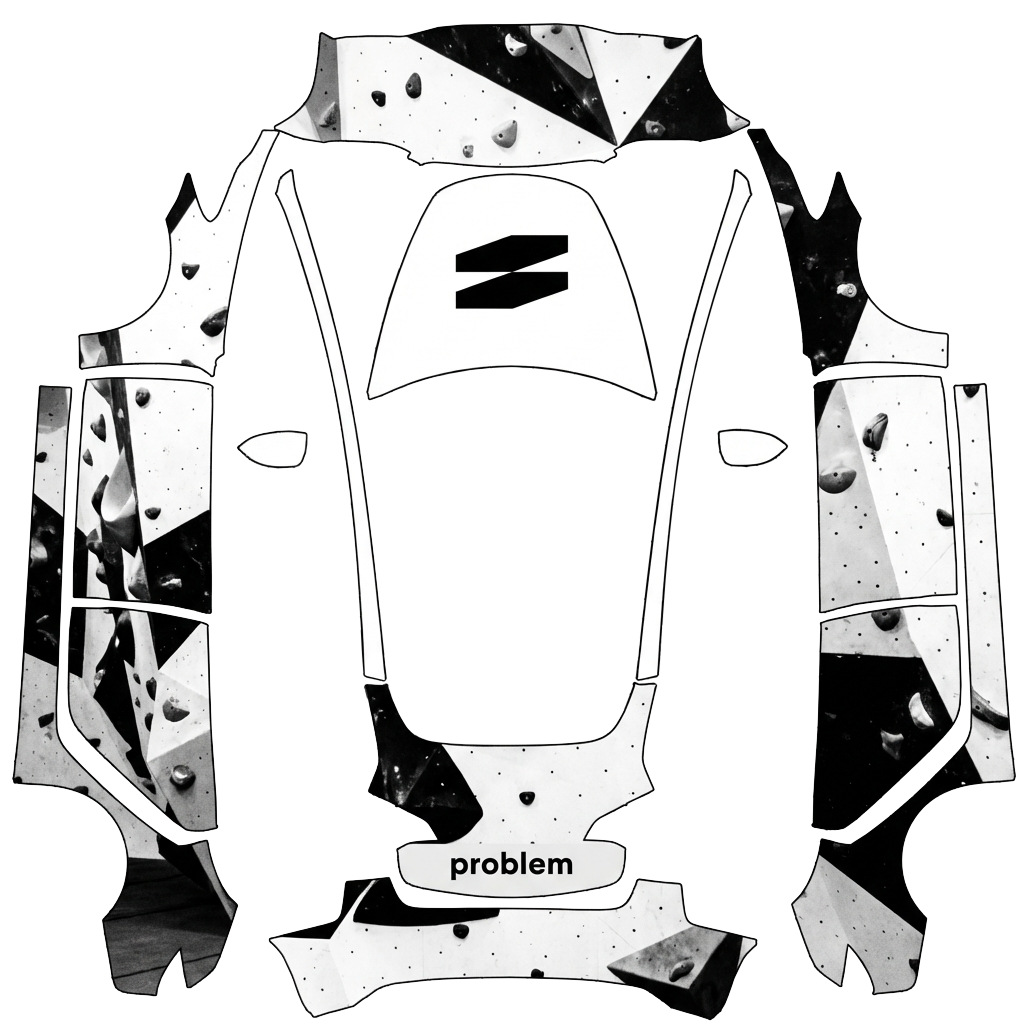
Usa in Tesla Paint Shop
Visualizza questo design sulla tua Tesla
Scarica il PNG per vedere questo design sullo schermo della tua Tesla o nell’app Tesla.
Verifica dei requisiti del file
Requisiti dei file di Tesla Paint Shop
Vedi i requisiti file ufficiali TeslaRequisito TeslaQuesto file
Formato
Requisito TeslaPNG
Questo fileVerifica in corso…
Dimensioni tela
Requisito Tesla512–1024 px per lato
Questo fileVerifica in corso…
File
Requisito Tesla1 MB o meno · nome file valido
Questo fileVerifica in corso…
Modello veicolo
Requisito TeslaModello ufficiale corrispondente
Questo fileVerifica in corso…
Solo per l'anteprima 3D su schermo in Tesla Paint Shop, non per la stampa o l'installazione.
Come usarlo
Aggiungi questo wrap alla tua Tesla
- 01
Scarica il PNG
Salva il PNG compatibile con Paint Shop sul telefono o sul computer.
- 02
Invialo alla tua Tesla
Nell’app Tesla v4.59.0+: Creations → Wrap → Upload. Oppure inserisci il PNG in una cartella Wraps nella directory principale di un’unità USB supportata.
- 03
Applicalo in Paint Shop
Sulla tua Tesla, apri Toybox → Paint Shop → Wraps e scegli il design.