Liker: 2Nedlastinger: 6
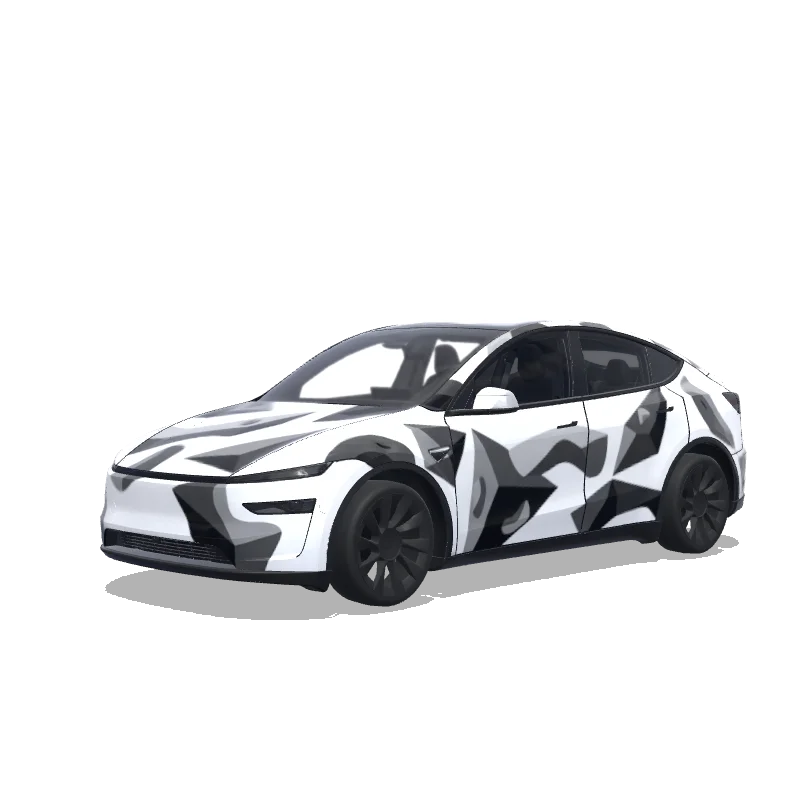
Model Y-folieringsdesign
2025+ · Premium

Designet av
Simran
Se AI-ledetekst
AI-ledetekst brukt på Tesla Wrap Studio
“On the attached reference, there are 2 elements, both referring to the bouldering gym I’m attending - at the top, there’s a “problem” word, which I’d like to include in this exact font on the rear of the car - not where the registration plate would land, but rather above it. Make it fit to the overall design of the app and lay among the boulder structures (that I’ll describe below in a minute). Right below the “problem” word on the reference, there’s a logotype of this bouldering wall. I want to use it in the design - preferably place it on middle of the hood. The overall design of the wrap has to be minimalistic, modern, only depicting structures that resemble bouldering holds (that I’ve mentioned before), apart of the two elements sourced from the reference image. Keep it black and white. Do not make the design overly complicated.”
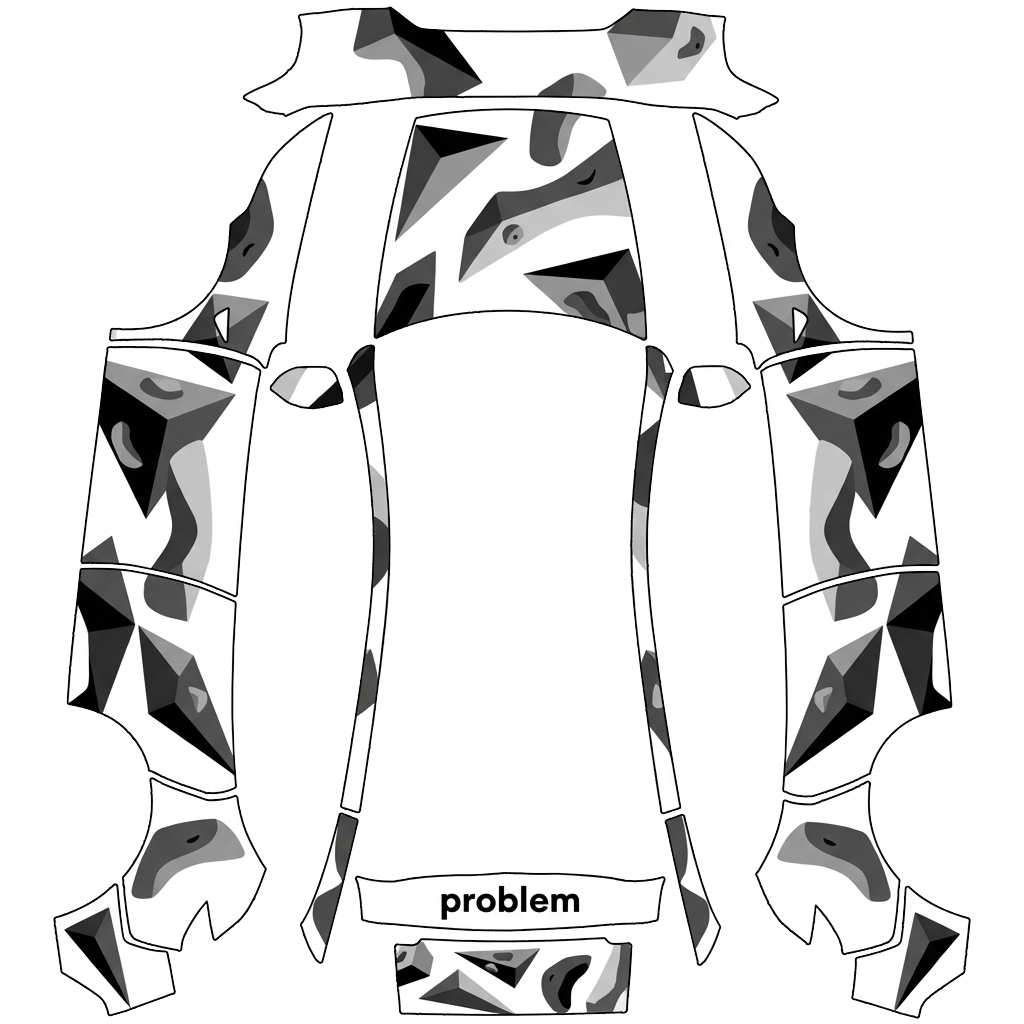
Bruk i Tesla Paint Shop
Forhåndsvis dette designet på Teslaen din
Last ned PNG-filen for å se dette designet på Tesla-skjermen eller i Tesla-appen.
Kontrollerer filkrav
Filkrav til Tesla Paint Shop
Se Teslas offisielle filkravTesla-kravDenne filen
Format
Tesla-kravPNG
Denne filenKontrollerer…
Lerretstørrelse
Tesla-krav512–1024 px per side
Denne filenKontrollerer…
Fil
Tesla-kravMaksimalt 1 MB · gyldig filnavn
Denne filenKontrollerer…
Kjøretøymal
Tesla-kravSamsvarende offisiell mal
Denne filenKontrollerer…
Kun for 3D-forhåndsvisning på skjermen i Tesla Paint Shop, ikke for trykk eller montering.
Slik bruker du den
Legg denne wrappen til Teslaen din
- 01
Last ned PNG-en
Lagre den Paint Shop-klare PNG-filen på telefonen eller datamaskinen.
- 02
Send den til Teslaen din
I Tesla-appen v4.59.0+: Creations → Wrap → Upload. Eller legg PNG-filen i en Wraps-mappe på rotnivået til en støttet USB-enhet.
- 03
Bruk den i Paint Shop
Åpne Toybox → Paint Shop → Wraps i Teslaen, og velg designet.